
Instant delivery by email
Finally take control of your budget in 15 minutes
A smart Google Sheets workbook to manage your budget over 12 months.
Buy now — 15€
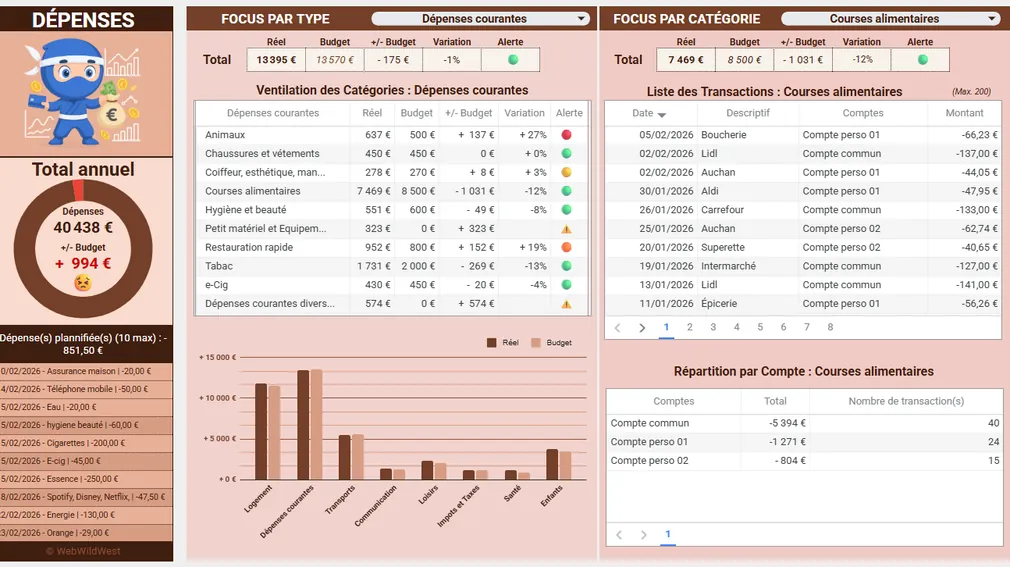

How it works
Just three steps: you buy the workbook, set it up in fifteen minutes in your Google Drive, then record your transactions.
From the very first month, your budget finally becomes clear and you know exactly where your money goes.
Buy & Receive
Secure payment with Stripe and Paypal. You receive your workbook by email.
Set up in 15 min
Make a copy in Google Drive. Then set your parameters.
Track your budget
Record your transactions and start steering your budget.
See the workbook in action
Dashboard, navigation, transactions and charts in 90 seconds.

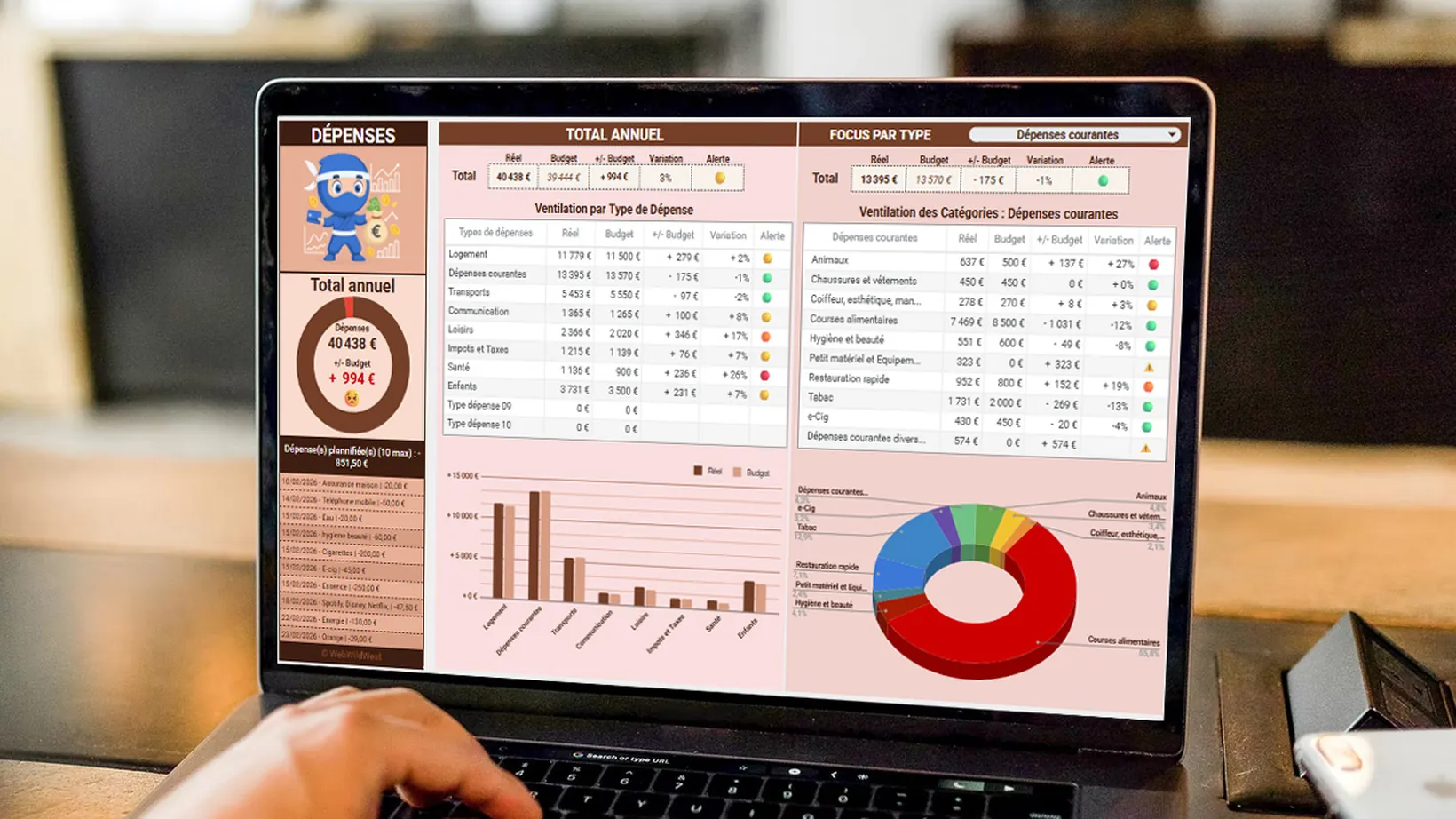 [ DEMO VIDEO 60–90s ]

Home Services Budget: Estimate, Categorize, and Track These Recurring Expenses
Take control of your home services budget: calculate the true cost, including expenses, categorize your spending, and track it month by month—no unpleasant surprises.

Budgeting for Single-Parent Families: Regaining Control Without Guilt
Build a solid budget for a single-parent household, use CAF and APL benefits as real tools to help you get by, and regain financial peace of mind when you’re managing everything on your own.

Managing Your Budget: How to (Finally) Get Started
You can manage your budget even without financial training. This four-step method starts with your actual expenses—not your ideal ones—to create a tracking system that stands the test of time.

Budget app or spreadsheet: Which one will really help you stick to your budget?
Budgeting Apps vs. Spreadsheets: An Honest Comparison of What Each Tool Does Well, Its Real Limitations, and How to Choose Based on Your Needs.

Why You’re Sabotaging Your Budget (and How to Stop Doing It!)
Why You’re Sabotaging Your Budget Without Even Knowing It: Present Bias, Normalization, Cognitive Dissonance, and Practical Ways to Overcome Them.
They took back control
Swipe to read all 15 reviews
I finally understood where my money went each month. In 2 months, I saved 300€!
 Thomas, 28 ans
Department Manager
We manage our shared budget without arguments. Everything is clear and visual.
 Sophie & Marc
Preparing a property purchase
Variable income? No problem. I always know where I stand.
 Laura, 34 ans
Freelance designer
Fifteen minutes of setup and everything was ready. I never had to touch a formula.
 Karim, 41 ans
Maintenance technician
I log my expenses from my phone right after leaving the store. It's become second nature.
 Émilie, 26 ans
Nurse
At last a budget I keep up for twelve months straight. The charts hooked me.
 Nicolas, 37 ans
Sales rep
My freelance income is irregular: the workbook handles it very well.
 Sarah, 31 ans
Self-employed
We freed up 210€ a month toward the house deposit, without going without.
 Julien & Léa
Young parents
I used three different apps. A single workbook replaced them all.
 Marc, 45 ans
Logistics manager
15€ once, no subscription: it changes everything compared to monthly apps.
 Inès, 29 ans
HR assistant
All ten of my accounts are tracked in one place, including the kids' savings.
 Patrick, 52 ans
Plumber
The savings tab kept me on track for my holiday goal without even thinking about it.
 Chloé, 24 ans
Work-study student
I see annual expenses coming a month ahead. No more nasty surprises.
 Antoine, 39 ans
Teacher
Support replied within a few hours to help me add a category.
 Nadia, 47 ans
Shop manager
After six months, I cleared my permanent overdraft. The workbook had a lot to do with it.
 Fabien, 33 ans
Delivery driver
Ready to take control of your budget?

Visualise, anticipate, reach your savings goals. A complete tool for just 15 €, delivered by email in 2 minutes. No subscription, no commitment, no risk.
Buy The NINJA BUDGET — 15€