
A comprehensive tool to help you manage your budget
5 interconnected tabs, dozens of automatic features
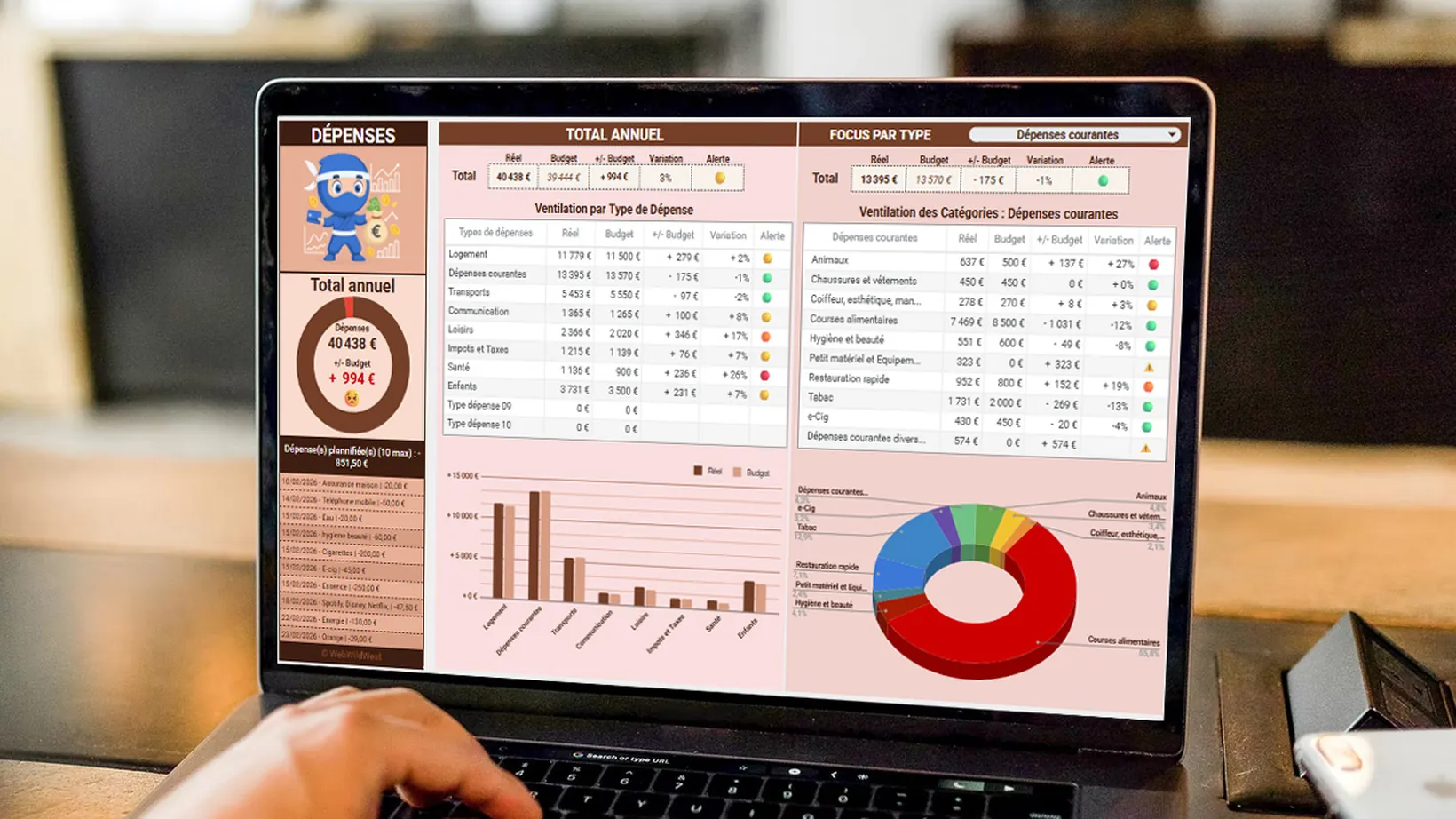 [ 60–90-second demo video ]
Overview of the 5 tabs
Five tabs that you use every day, plus the ones that run in the background.
CONFIGURATION
Set it up in 5 minutes
BUDGET
Plan your income and expenditure
TRANSACTIONS
Record all your transactions
DASHBOARD
View your metrics, compare the budget with the actual figures
BALANCE
A precise view of your cash position
06 PARAMETRES — Technical layer (invisible) 07 TRADUCTION — Multilingual system (hidden)
Detailed features
Four features make the template a useful everyday tool: you plan, you record, you analyse, you compare.
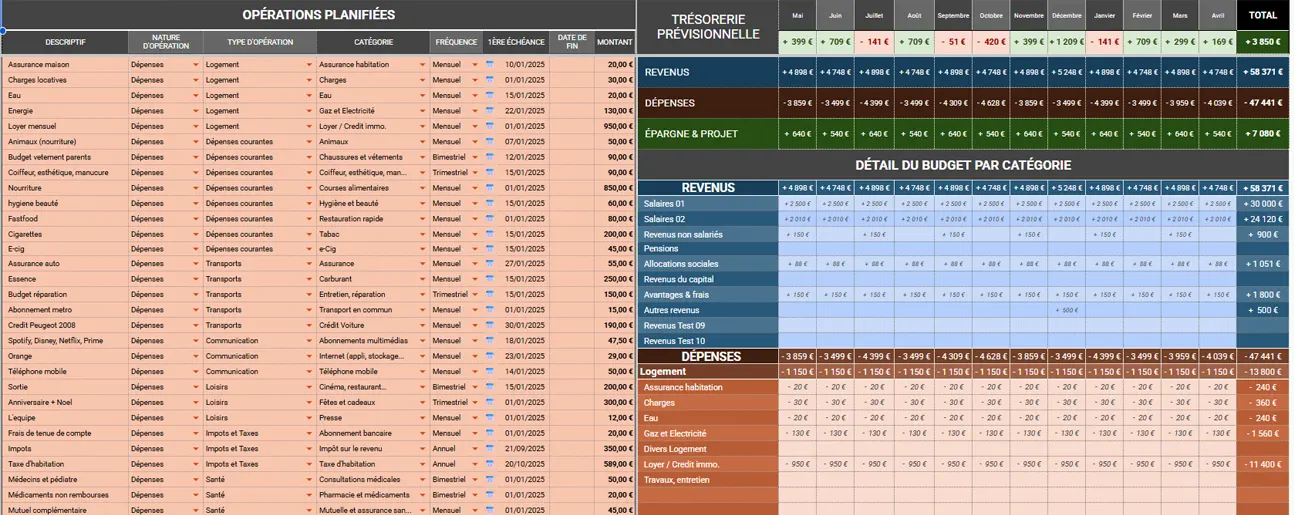
Provisional budget
Plan your year in just a few clicks.
- Recurring transactions (monthly, fortnightly, quarterly, half-yearly, annually)
- Start and end dates
- Automatic 12-month summary table
- 3 levels: Totals → Types → Categories
A monthly salary of €3,000, rent of €950, an electricity bill every two months… The template calculates it all!
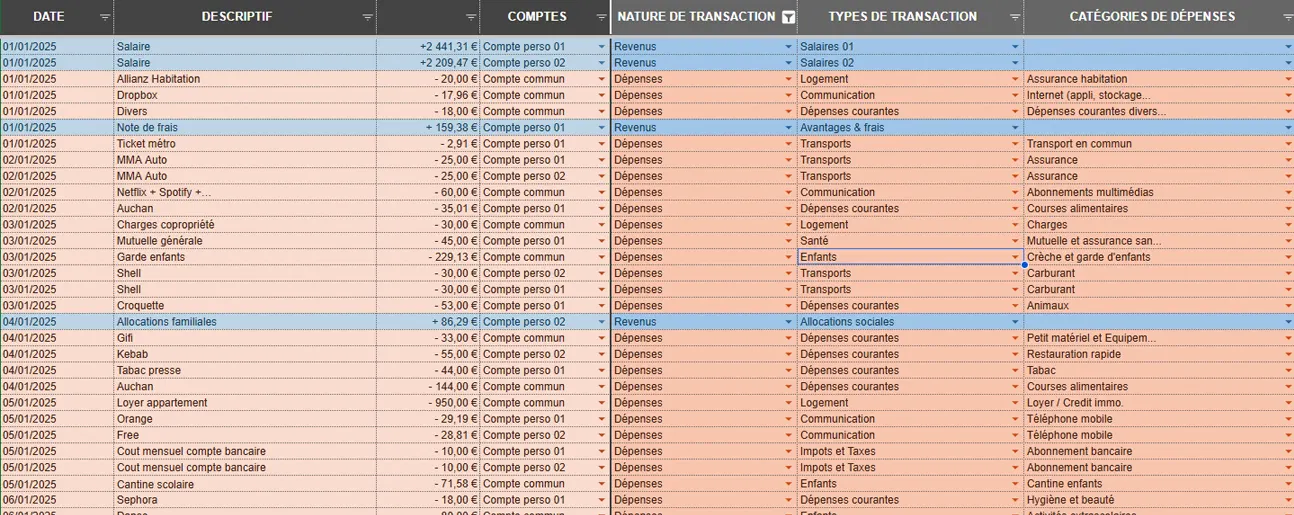
Real-time tracking
Record each transaction in 30 seconds.
- Entry: Date, Description, Amount, Account, Type, Category
- Dynamic drop-down lists
- 4 categories: Expenditure, Income, Savings, Internal transfers
Restaurant €45 → Revolut → Day-to-day expenses → Fast food. Done in 20 seconds.
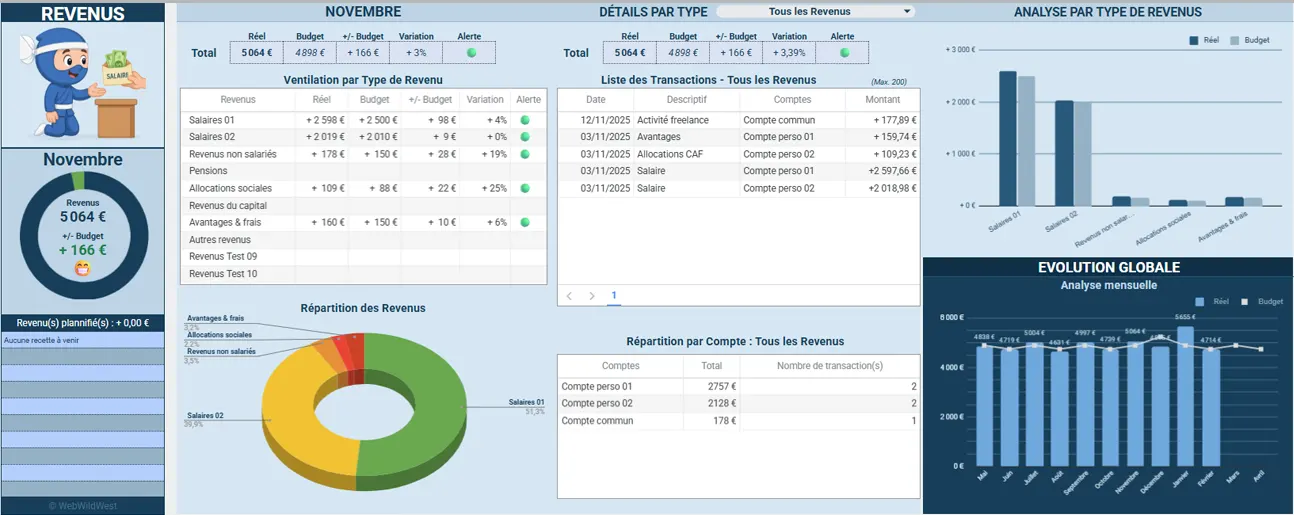
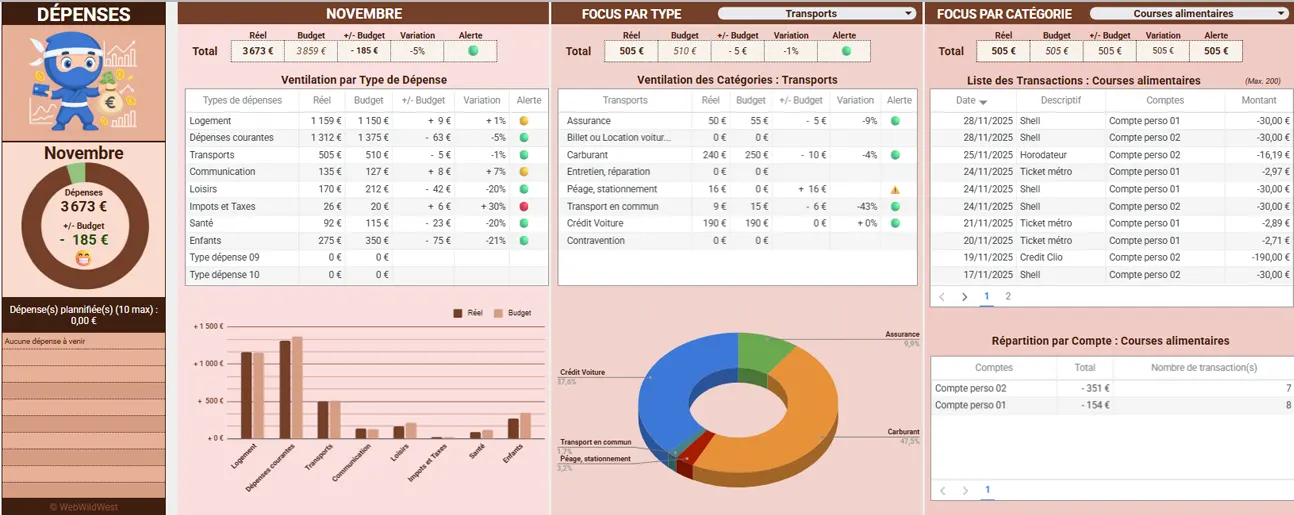
Visual dashboards
Understand your budget at a glance.
- Select period (month or annual total)
- Charts: B vs A balance sheet, balance, breakdown, savings
- Indicators: Current balance, Future expenditure/revenue, Forecast balance
- Analysis by category with pagination
Comparison of Budget vs Actual
Identify discrepancies instantly.
- 2 columns per month (Budget | Actual)
- 3 levels (Totals, Types, Categories)
And also, included in the template
Four more features, with no settings to adjust and no modules to add.
Multi-account management
Up to 10 centralised bank accounts.
- Real-time balances (opening balance + transactions)
- Internal transfers without double counting
- Projected balance by account
Current account, savings account, joint account, Revolut… All in one place.
Savings goals
Achieve your goals one step at a time.
- Up to 10 projects
- Progress pie charts
- Automatic calculation of the remaining amount to be saved
- ‘Targets Achieved’ indicator
Holiday Plan: target €2,000. Already saved €845. Only €1,155 to go!
Multilingual system
5 languages at the click of a button.
- FR
- EN
- DE
- ES
- IT
- Instant changes to all labels, month names and instructions
12-month rolling period
Your budget can be tailored to YOUR dates.
- Any starting month
- Dynamic headers, transaction validation for the period
Technical Specifications & Compatibility
The template runs in Google Sheets, on both computers and mobile phones. No installation required.
What you need
- Google Account (free)
- Google Sheets (included)
- A recent browser
- iOS/Android mobile app
What you don’t need
- No installation required
- No macros or scripts