
From purchase to your first Budget 25 min
Six steps, from payment to your first recorded transaction. No software to install.
The Ninja Budget - €15 20€
- 0 min Purchase
- 2 min Email
- 5 min Copy
- 10 min Config
- 25 min Budget
- First transaction
What you need to get started
Three things – which you’ve probably already got.
A Google account
Free. If you have an Gmail email address, you already have one. That’s where your template will be stored.
A web browser
Chrome, Safari, Firefox or Edge, on a computer, tablet or mobile phone. No software to install.
25 minutes, once
It takes a while to set everything up. After that, 15 minutes a week is all it takes to keep the template up to date.
No subscription, no card details to enter after purchase, no linked bank details.
Before opening the template
Two steps and seven minutes: first, make the payment; then copy the file to your Drive.
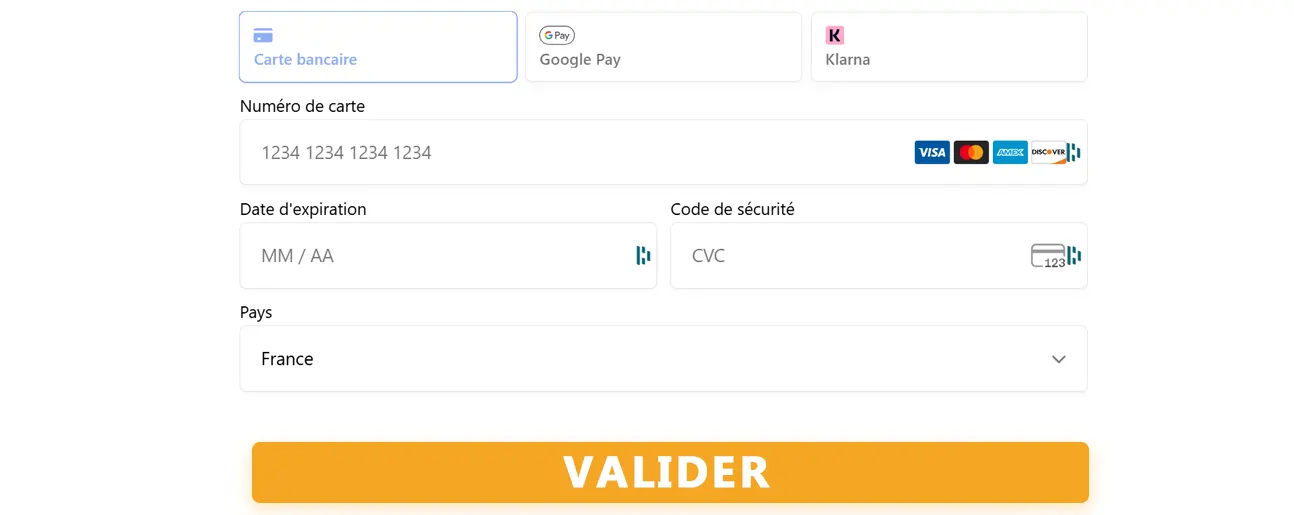
Purchasing & Delivery
- Click on ‘Buy now’
- Secure card payment via Stripe
- Please enter your email address and first name
- Confirmation email within 2 minutes containing: a link to the template, a PDF, tutorials and support
Please check your spam folder if you haven’t received the email within 5 minutes. If you have any problems: support@theninjabudget.com
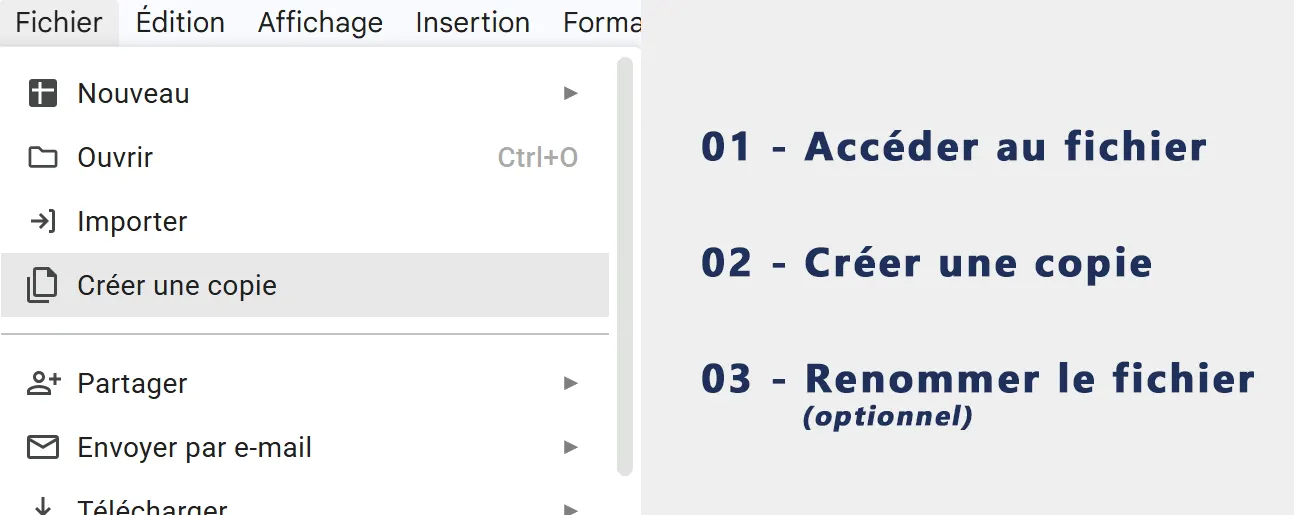
Installation
- Click on the link you have received
- File → Make a copy → in your Google Drive
- Rename (optional)
Watermark with your email address automatically embedded
In the template, there are four tabs to complete
You set it up once, enter your data, and the dashboards calculate the figures automatically.
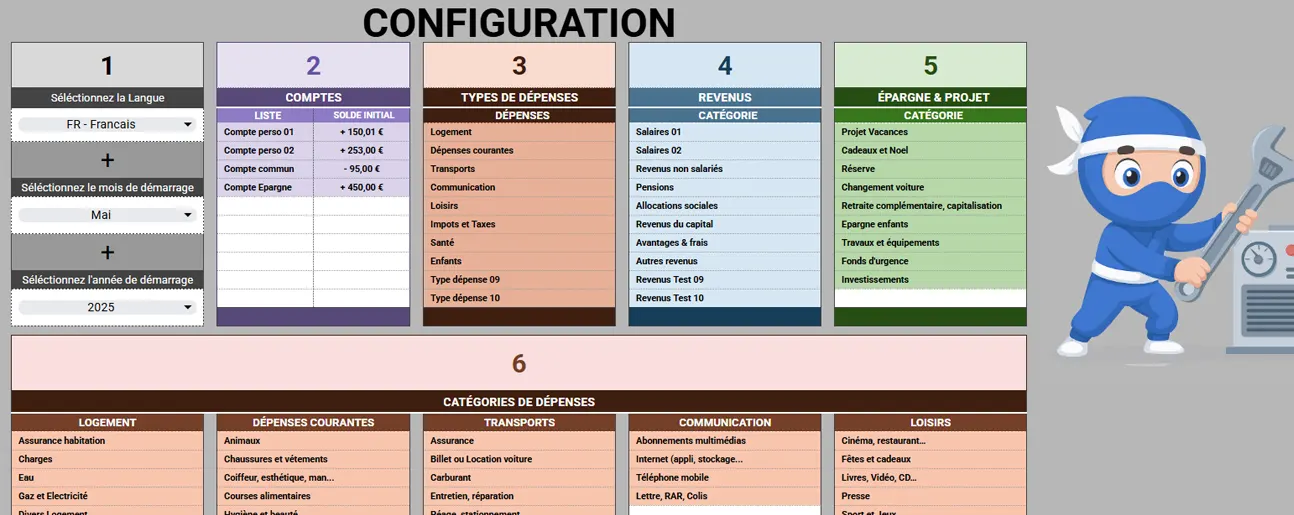
Configuration
CONFIGURATION tab- Select your language
- Set the period (month + start year)
- Add your bank accounts (name + opening balance)
- Customise categories (optional)
Start with the default categories and refine them over time!
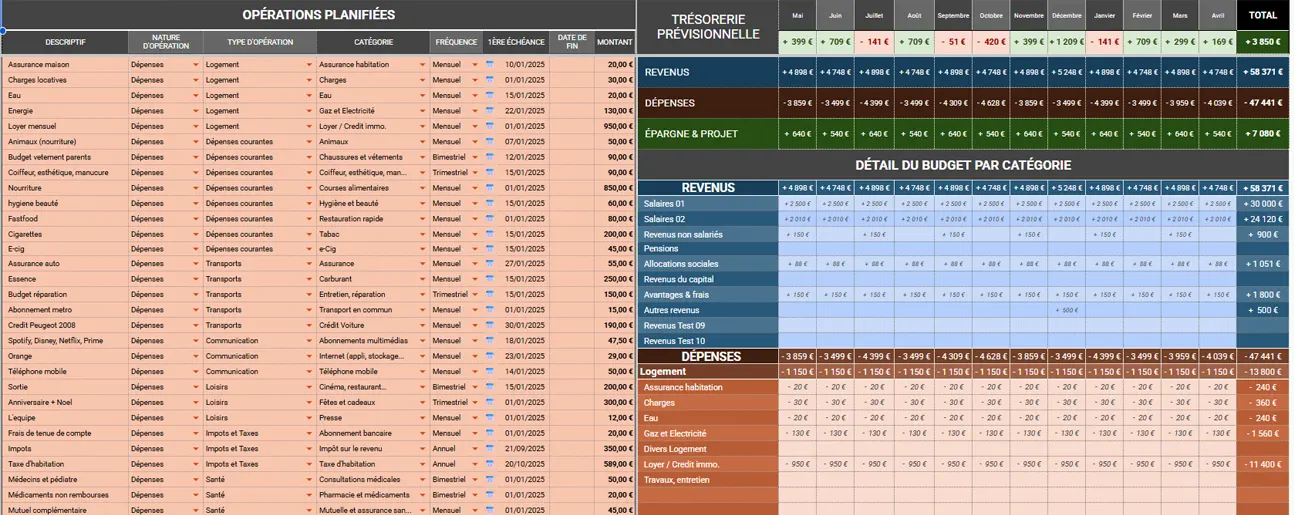
Provisional Budget
BUDGET tab- List recurring income, expenditure and savings transactions
- Enter the description, type, category, frequency and amount
- Automatically generated 12-month summary table to check that your budget is balanced
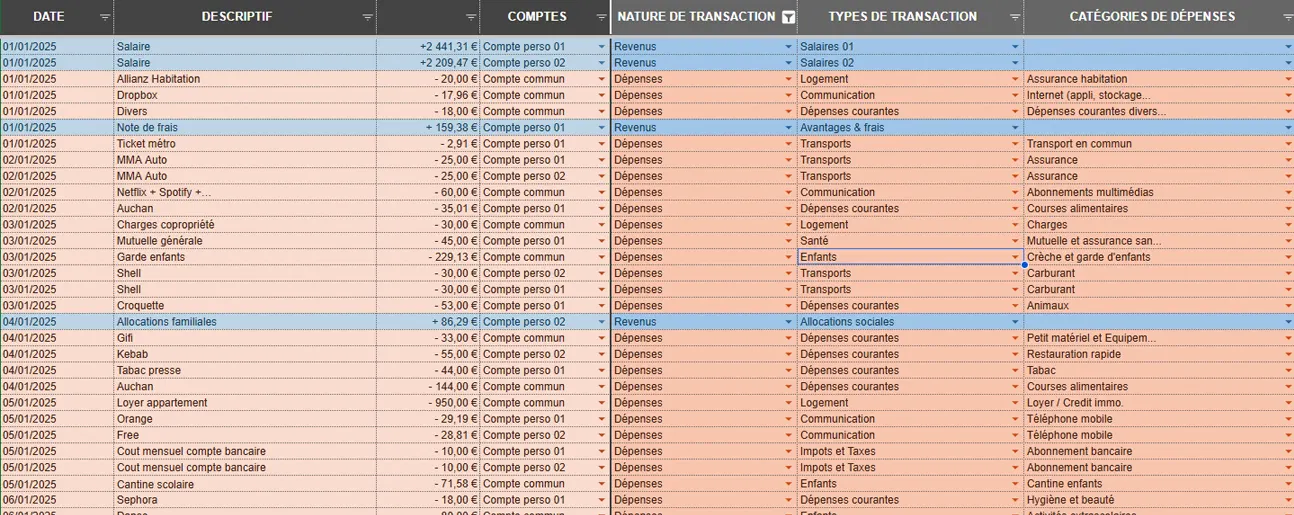
Transactions
TRANSACTIONS tab- Copy and paste the following details from your bank statement: Date, Description, Amount, Account
- Select ‘Nature’, ‘Type’ and ‘Category’ from the table
- Automatic updates for your DASHBOARD
In just 15 minutes each week, you can record 30 transactions!
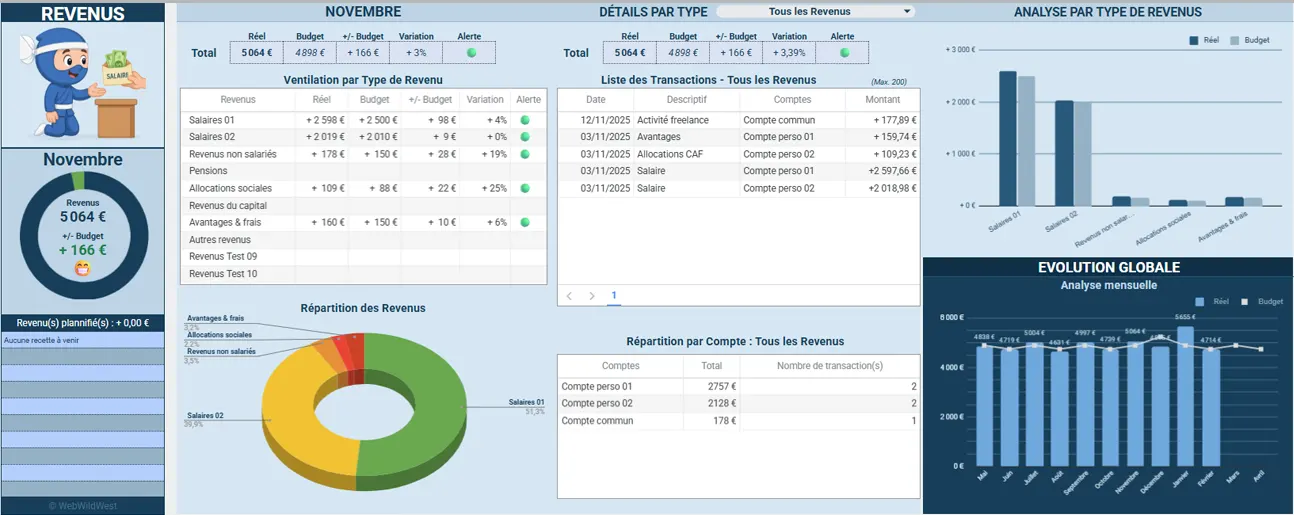
Dashboard
DASHBOARD tab- Select the period
- View indicators: Balance sheet, Balance, Balances, Savings
- Break down by type and category
You’re not on your own when it comes to the template
Everything is included with the file, in the same email.
Video tutorials
Four short videos, one for each step of the set-up process.
- Getting started with the template 5 min
- Full configuration 8 min
- Enter your transactions 4 min
- View your dashboard 10 min
27 minutes in total
PDF documentation
The comprehensive template guide – keep it to hand.
- Over 50 pages
- Available in 5 languages
Support
Do you have a question about installation or configuration? Please get in touch – we’ll reply within two working days.
support@theninjabudget.comThe tutorials and documentation are available for life, including updates.
Questions about configuration
The five most frequently asked questions.
Do you have to pay for a Google subscription to use it?
No. Google Sheets is free with any Google account – for example, the one linked to your Gmail email address. The template is a few hundred kilobytes in size, well within the 15 GB offered by Drive. You don’t need to subscribe to anything, either with Google or with us: the €15 purchase is a one-off payment and the file remains yours.
I’ve never used a spreadsheet before – will I be able to manage?
Yes, because you don’t have to build anything. All the formulas are already written and protected: you simply fill in the input cells, most of which have drop-down lists. There are no formulas to type in, and no columns to create. The four video tutorials and the PDF manual cover every step, screen by screen.
Can I enter my expenses on my mobile phone?
Yes and no. With the Google Sheets app at iOS or Android, it is possible. However, the initial set-up and viewing of the dashboards are still easier on a computer or tablet screen, even though everything is accessible via your mobile phone.
Can I change the language or the start month after setting it up?
Yes. You can select the language and period in the CONFIGURATION tab and change them at any time: the labels and the twelve months in the template are recalculated immediately. Any transactions you have already entered will not be lost. If you change the start year, it is best to start afresh with a new copy of the original file.
Can anyone see my bank details?
No. The template is a copy stored on your own Google Drive: you are the sole owner and no one else has access to it, not even us. No bank account is linked to it, and no data is sent to a server. You enter your amounts manually, and they remain on your device.
In 25 minutes, you’ll be in control of your Budget!
You will receive the link to the template, the PDF manual and the tutorials within two minutes of making your payment.

Introductory offer: -25% for 30 days
- One-off payment, no subscription required
- Immediate delivery by email
- Secure payment via Stripe